
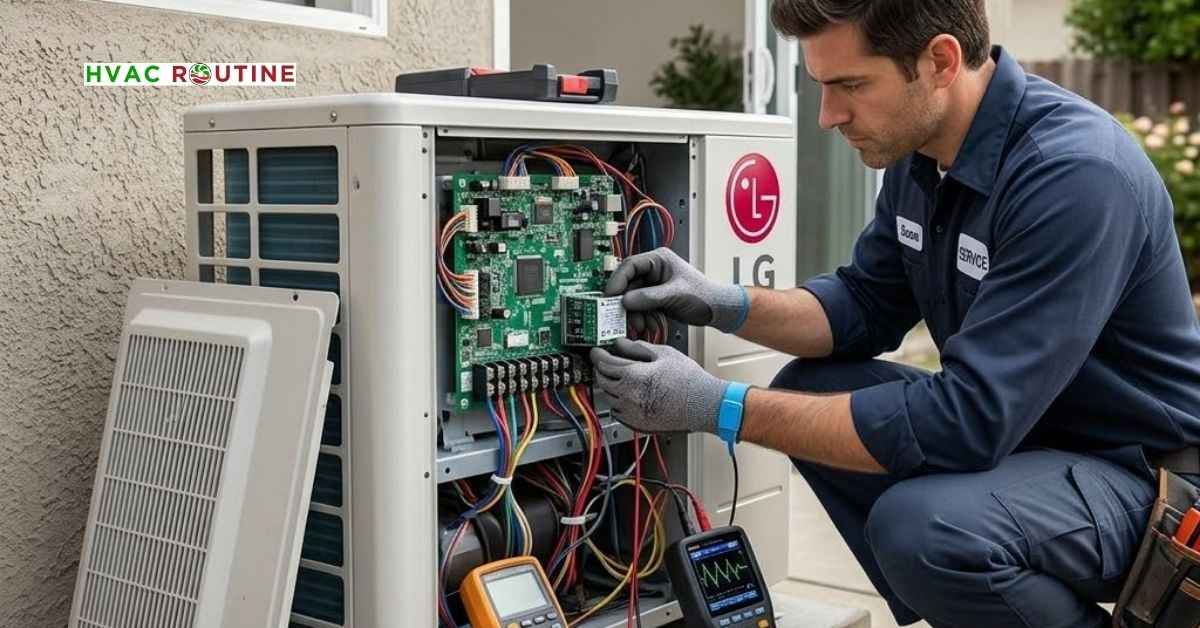
Seeing a blinking code on your air conditioner screen ruins a comfortable day. If your LG AC CH05 unit stops cooling, you need an effective fix for the LG AC CH05 error code to restore cold air to your home.
This error indicates a complete serial communication breakdown between your indoor wall unit and your outdoor condenser.
I have spent twelve years troubleshooting mini-split systems in the field, and this error appears frequently after bad storms or power blinks.
You can solve this issue yourself using basic hand tools and a simple diagnostic routine.
This guide walks you through every testing step so you can fix your air conditioner safely.
What You'll Learn ⭐⭐⭐⭐⭐
- Required Diagnostic Tools for LG AC CH05 Error Code Fix
- Safety Precautions
- Fast Troubleshooting Actions
- When to Hire an HVAC Technician
- Understanding the LG Mini Split CH05 Error
- Root Causes of the LG Inverter Air Conditioner Error Code 05
- Quick Troubleshooting Actions Before Disassembly
- Step-by-Step LG AC CH05 Error Code Fix
- Multimeter Testing LG AC Signal Voltage at Terminal 3
- How to Perform an LG Outdoor PCB Board Replacement
- Long-Term Preventive Measures to Protect Your AC
- Key Takeaways for LG AC Communication Error Solution
Required Diagnostic Tools for LG AC CH05 Error Code Fix
- Digital multimeter with DC voltage capability
- Screwdriver set including Phillips #2 and flathead options
- Wire strippers and needle-nose pliers with insulated handles
- Fast-acting replacement fuses matching your original board specs
Safety Precautions
- Shut off the main circuit breaker feeding your air conditioner before removing any service panels.
- High-voltage capacitors in the outdoor unit hold dangerous electrical energy even after you disconnect main power.
- Wait ten full minutes after shutting off power so electrical components discharge completely.
- Wear safety glasses and insulated work gloves whenever you handle wiring.
Fast Troubleshooting Actions
- Reset main power at the circuit breaker for ten minutes to reboot internal microprocessors.
- Inspect signal terminals 1, 2, and 3 on both indoor and outdoor units for loose connection screws.
- Measure DC voltage variation between terminal 3 and terminal 2 using your multimeter.
- Check indoor and outdoor circuit board components for burnt traces or blown glass fuses.
When to Hire an HVAC Technician
- You perform a power reset, but the error code returns immediately upon startup.
- You find visible burn marks or melted solder on your outdoor printed circuit board.
- Your multimeter shows zero DC voltage activity across signal wire terminal 3.
Understanding the LG Mini Split CH05 Error
Modern air conditioners rely on smart communication networks to adjust cooling output. Your indoor wall unit continuously sends target temperature requests to the outdoor condenser.
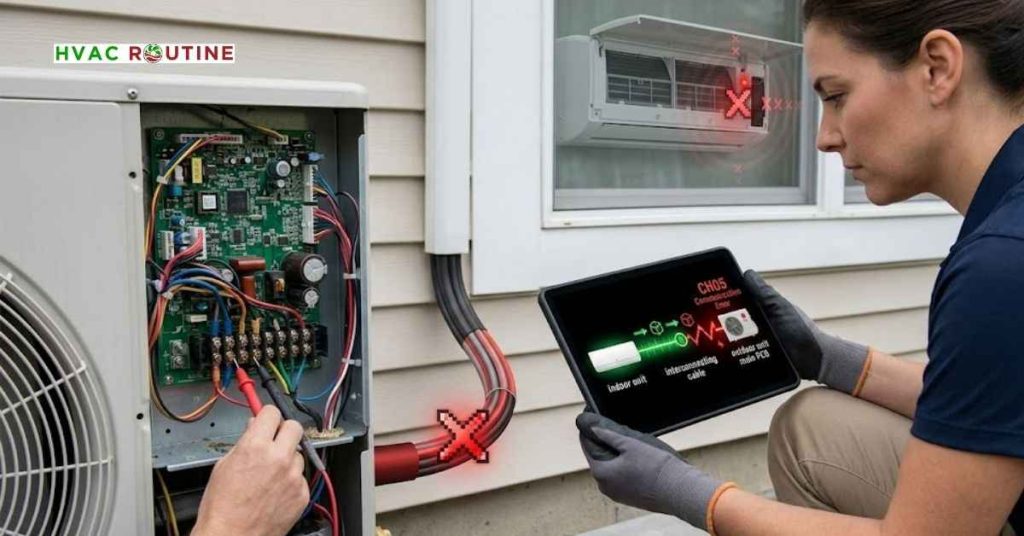
The outdoor condenser sends back operational updates about compressor speed and coil temperatures.
An LG mini-split CH05 error is triggered when this data stream drops for more than 3 minutes.
When communication fails, the indoor unit shuts down cooling mode to protect the compressor from damage. Your indoor fan might continue running, but the system will blow warm air into your room.
Understanding this relationship helps you locate the exact point of signal failure quickly.
Root Causes of the LG Inverter Air Conditioner Error Code 05
Several physical and electrical problems cause an LG inverter air conditioner error code 05.
Pinpointing the exact cause saves you time and prevents unnecessary parts purchases.
Loose or Damaged Signal Wiring
Vibration from the compressor can loosen screw terminals inside the outdoor unit over time. Rodents often chew through soft insulation on interconnecting cables running outside your home.
Corrosion on copper wires blocks weak DC digital signals from reaching the main board.
Electrical Power Surges
Lightning strikes and utility power spikes overload sensitive microprocessors. A sharp surge creates software glitches on the outdoor printed circuit board.
These spikes often trip the outdoor unit breaker while leaving the indoor breaker active.
Defective Circuit Boards
Optocoupler chips on the control board isolate and translate communication data. Heat and electrical strain degrade these micro-chips after years of heavy summer use.
When an optocoupler burns out, the board stops transmitting digital signals completely.
Strong Electromagnetic Interference
Installers sometimes run signal wiring directly alongside main high-voltage power lines. High electrical current generates magnetic fields that distort low-voltage communication signals.
Unshielded cable picks up this noise and corrupts data packets traveling between units.
Quick Troubleshooting Actions Before Disassembly
You should always start with simple checks before opening unit panels.
Many homeowners resolve communication glitches without touching a single wire.
Perform a Full System Reset
Locate your main electrical panel and switch off the HVAC circuit breakers. Leave power completely off for ten full minutes to clear stored board memory.
Turn the breakers back on and set your remote control to cooling mode at 70 degrees Fahrenheit. Observe whether the outdoor fan blade turns on within three to five minutes.
Check Airflow and System Cleanliness
Heavy dust accumulation restricts indoor airflow and drives up internal coil temperatures. Dirty filters force the control board to throttle performance, which can trigger system warnings.
Clean your reusable mesh filters thoroughly with warm water and let them dry before reinstalling.
Step-by-Step LG AC CH05 Error Code Fix
Time needed: 30 minutes
Follow this step-by-step troubleshooting guide to inspect signal wiring, test voltage, and resolve the LG AC CH05 communication error code.
- Inspect Terminal Block Wiring
Turn off breaker power, open the outdoor access panel, and verify that signal wires 1, 2, and 3 are tightly secured with correct color positioning.
- Check Physical Wire Integrity
Examine the interconnecting cable for damage, weather exposure, or corrosion, and strip corroded wire ends before reconnecting.
- Test Signal Voltage with a Multimeter
Measure DC voltage between terminal 3 and neutral (terminal 2) to ensure the signal pulses between 0V and 70V DC.
- Replace Outdoor Circuit Board If Needed
If voltage testing confirms a dead board, disconnect power, take reference photos of connections, and install a replacement outdoor PCB.
Follow this systematic procedure when standard power resets fail to clear the warning code.
Working through these steps in order ensures an accurate LG AC CH05 error code fix without wasted effort.
Step 1: Inspect Terminal Block Wire Connections
Turn off power at the main breaker panel.
Remove the metal access cover on the side of your outdoor condenser unit.
Locate terminal positions 1(L), 2(N), and 3(Signal).
Gently pull each wire to ensure the terminal screws clamp the copper tightly.
Confirm that wire colors match terminal numbers exactly on both indoor and outdoor units.
For example, if red connects to terminal 3 indoors, red must connect to terminal 3 outdoors.
Step 2: Check Physical Wire Integrity
Examine the entire length of interconnecting cable running between your two units. Look for cracked insulation, severe bends, or copper corrosion near outdoor entry points.
Cut away corroded wire tips using wire strippers and secure fresh copper into the terminal block.
Multimeter Testing LG AC Signal Voltage at Terminal 3
Testing voltage proves whether your control boards actually transmit live communication data.
This quick test isolates whether you face a simple wiring issue or a broken circuit board.
How to Perform the DC Voltage Test
Set your digital multimeter dial to read DC Volts.
Keep system power turned on during this specific diagnostic test.
Place your red multimeter probe on terminal 3 (communication).
Place your black multimeter probe on terminal 2 (neutral).
Reading Your Multimeter Signals
A healthy LG communication circuit constantly fluctuates between 0 Volts DC and 70 Volts DC. This pulsing action confirms active data transfer between the microprocessors. If your multimeter displays a steady 0 Volts DC, your indoor board is not sending data.
If your meter shows a constant 120 Volts AC or static DC voltage without pulsing, your outdoor board has failed.
Executing this test gives you confidence when executing an LG AC CH05 error code fix.
How to Perform an LG Outdoor PCB Board Replacement
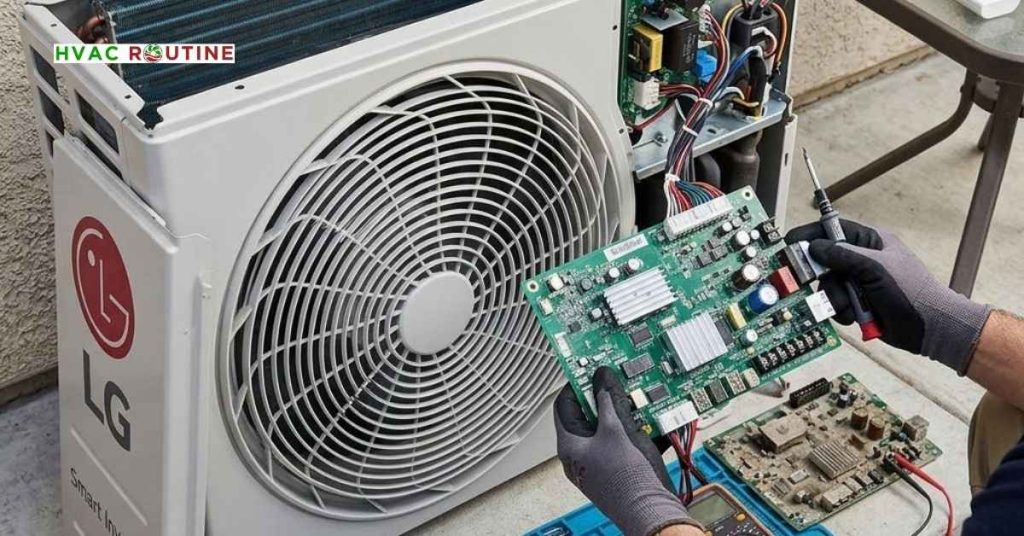
When voltage testing reveals a dead board, replacing the outdoor PCB resolves the fault.
You can complete an LG outdoor PCB board replacement yourself with patience and careful organization.
Step 1: Disconnect Power and Take Reference Photos
Shut off main electrical power at the breaker panel. Wait ten minutes for board capacitors to discharge completely. Remove the outdoor unit top panel and main control box cover.
Take several clear photos of every wire connector, jumper switch, and terminal position.
Step 2: Swap the Defective Control Board
Unplug wire harnesses carefully by squeezing release tabs rather than pulling wires directly.
Remove board mounting screws with your Phillips screwdriver.
Unpack your new OEM LG circuit board and set jumper switches to match your old board settings.
Mount the new board into the plastic housing and snap all wire harnesses into place.
Secure terminal wires 1, 2, and 3 tightly into the new terminal block.
Reattach protective covers, restore power, and enjoy cold airflow once again.
Long-Term Preventive Measures to Protect Your AC
Taking preventive actions protects your air conditioner from future communication failures.
A few quick upgrades extend component lifespan significantly.
Install a Dedicated Surge Protector
Mount an HVAC surge protection device directly onto your outdoor disconnect switch box.
This device absorbs high-voltage utility surges before they reach sensitive board chips.
Ensure Proper Cable Shielding and Grounding
Verify that your installer used four-conductor shielded wire for all signal runs.
Connect ground wires securely to the metal cabinet frame on both units.
Proper grounding dissipates static buildup and prevents signal noise interference.
Key Takeaways for LG AC Communication Error Solution
Finding an effective LG AC communication error solution requires a structured approach. Start with a simple ten-minute circuit breaker power reset. Inspect terminal wires for loose screws, matching color positions, and weather damage.
Use a digital multimeter to verify pulsing DC voltage between terminal 3 and terminal 2.
Replace damaged interconnecting cables or defective outdoor circuit boards to complete your repair.
Installing surge protection prevents future signal failures and protects your HVAC investment.
Reset the system power at the circuit breaker for 10 minutes. If the code returns, inspect terminal wiring connections (terminals 1, 2, and 3) for loose screws, test for pulsing DC signal voltage with a multimeter, or replace a damaged outdoor PCB.
The CH-5 (or CH05) error code indicates a communication failure between the indoor wall unit and the outdoor condenser unit. When this serial data signal drops, the system shuts down cooling operation to prevent compressor damage.
The F5 (or C5) code on digital displays refers to the same CH05 serial communication fault. Fix it by performing a 10-minute breaker power reset, securing loose signal wire connections, and verifying continuous DC voltage signals between terminal 3 and terminal 2.
The C5 code is an alternate display reading for the LG CH05 communication fault. It means your indoor unit control board cannot establish a digital signal connection with the outdoor condenser PCB due to wiring damage, power surge interference, or circuit board failure.

2 thoughts on “LG AC CH05 Error Code Fix: Complete Troubleshooting Guide”