
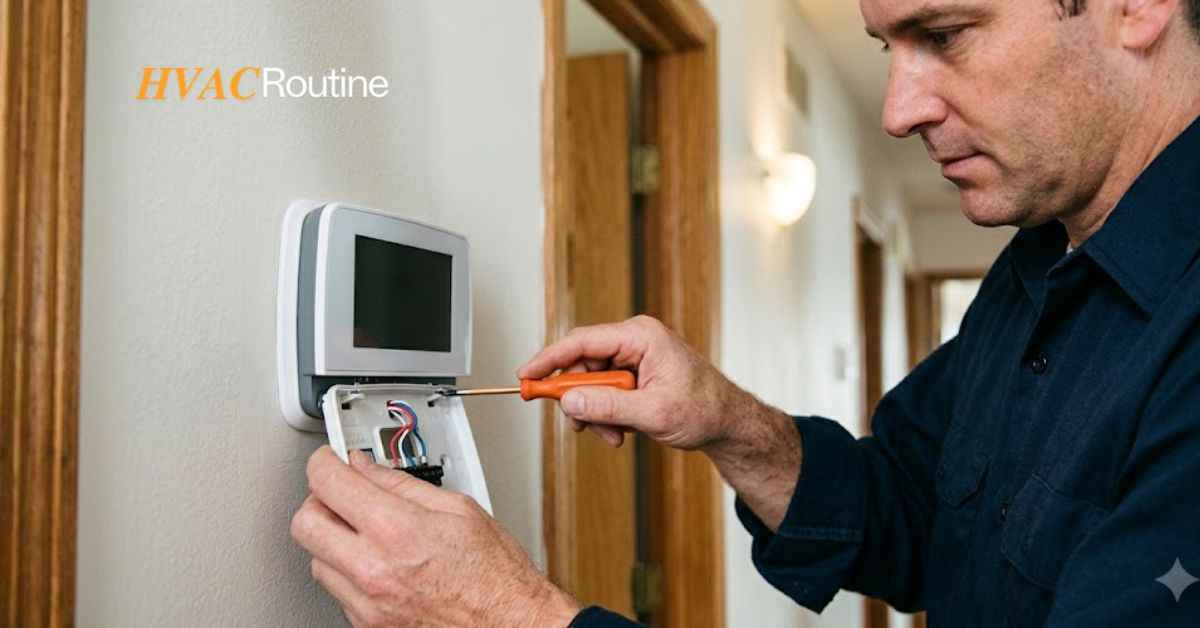
You walk over to adjust your temperature on a hot afternoon, and you find a dark, empty box on your wall. A sudden loss of display power makes your home uncomfortable very fast.
Fortunately, you do not always need a replacement unit, and applying a reliable thermostat screen blank fix can restore your system without a costly repair bill.
Most display blackouts stem from simple power disruptions, flipped switches, or safety features designed to shut down your HVAC system.
This guide walks you through every diagnostic step so you can resolve the problem safely and quickly.
What You'll Learn ⭐⭐⭐⭐⭐
- Tools Required and Safety Warnings Before You Start
- Tools Required for Troubleshooting
- Safety Warnings for HVAC Systems
- Thermostat Screen Blank Fix: Step-by-Step Solutions
- Overlooked Causes That Trigger Blank Displays
- When to Call a Pro for HVAC Thermostat Repairs
- Common Blank Thermostat Questions Answered
- Key Takeaways for Keeping Your Thermostat Powered
Tools Required and Safety Warnings Before You Start
Tools Required for Troubleshooting
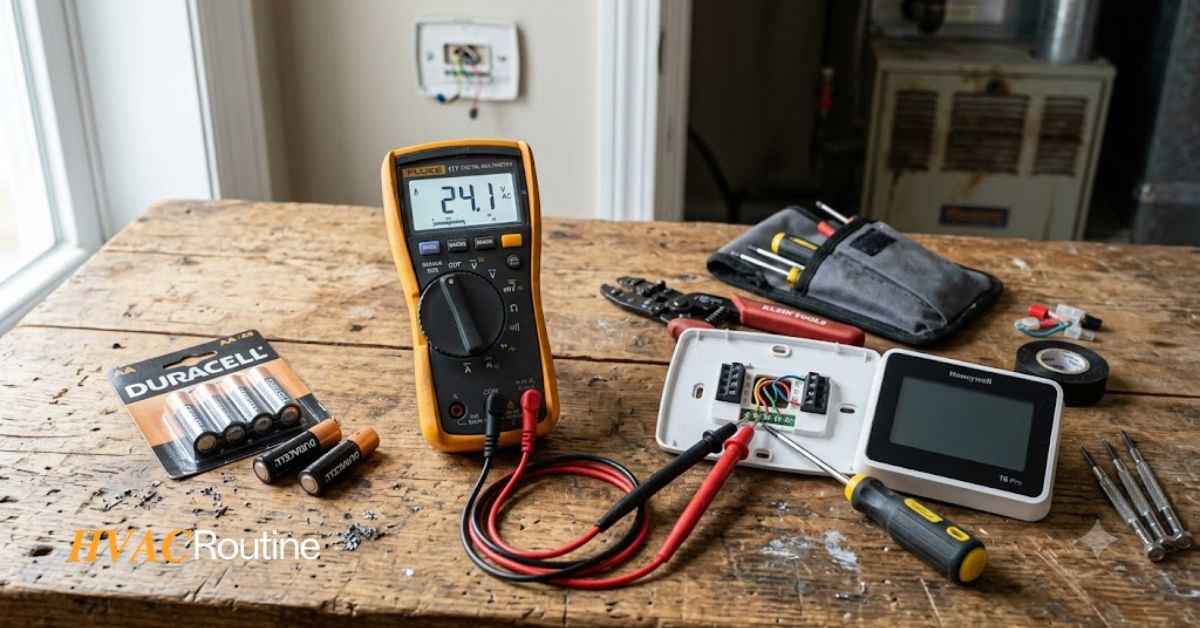
Having the right gear makes your job easier and safer.
Gather these items before you open any panels or touch low-voltage wires:
-
Fresh Batteries: Two new AA or AAA alkaline batteries.
-
Digital Multimeter: A basic meter to test AC voltage across your wiring terminals.
-
Screwdrivers: Small flathead and Phillips screwdrivers for terminal screws.
-
Non-Contact Voltage Tester: A tool to double-check line power before opening panels.
-
Replacement Fuses: A 3-amp automotive blade fuse for your furnace control board.
-
Flashlight: A bright handheld light or headlamp for dark basements and utility closets.
-
Wet/Dry Shop Vacuum: Useful for clearing clogged condensate lines quickly.
Safety Warnings for HVAC Systems
HVAC systems combine low-voltage control circuits with dangerous line-voltage household current.
Protect yourself by taking proper precautions before starting any physical inspection:
-
Turn off main power: Shut off the breaker for your furnace or air handler before removing any panel covers.
-
Verify voltage: Always test wires with a non-contact voltage sensor to confirm no electrical current flows through the unit.
-
Watch for water: Never touch electrical components inside the furnace while standing in water or near a leaking drain pan.
-
Avoid force: Handles and terminal connectors snap into place easily, so avoid forcing plastic faceplates or bending wires roughly.
Thermostat Screen Blank Fix: Step-by-Step Solutions
Step 1: Replace Dead or Weak Batteries
Many thermostats use batteries to light up their screen, even when hooked to home power.
When these batteries run out, the screen shuts off completely.
Here is how you replace them:
-
Grip the sides of the thermostat faceplate and gently pull it straight off the wall baseplate.
-
Remove the old batteries from the back compartment.
-
Clean any corrosion on the metal contacts using a dry cloth or cotton swab.
-
Insert fresh AA or AAA alkaline batteries while aligning the positive and negative terminals correctly.
-
Push the faceplate firmly back onto the wall mount until it snaps into place.
Step 2: Inspect and Reset Circuit Breakers
Power surges and heavy equipment starts can trip your circuit breakers.
A tripped breaker cuts 120-volt power to your furnace transformer, which leaves your display dark.
Follow these steps to reset your system power:
-
Open your home main electrical panel.
-
Look for switches labeled “Furnace,” “Air Handler,” “AC,” or “HVAC.”
-
Check for a switch that rests in the middle position between “ON” and “OFF.”
-
Push the switch handle hard toward the “OFF” position until you hear a clear click.
-
Flip the handle back to the “ON” position to restore power to the system.
Step 3: Secure the Furnace Access Door
Furnaces contain a safety switch behind their access panels.
If the door sits loose, the push-button switch stays open and cuts all control power.
Secure your furnace door with these steps:
-
Walk to your indoor furnace or air handler unit.
-
Check if the door panel sits flush against the cabinet frame.
-
Press the door panel inward so it depresses the spring-loaded safety switch underneath.
-
Tighten all thumbscrews, latches, or panel bolts to hold the door firmly in place.
Step 4: Inspect and Clear the Condensate Drain Float Switch
Air conditioning systems pull gallons of water out of the air during hot weather.
When your drain pipe clogs, water collects in the pan and lifts a float switch.
This safety switch instantly breaks the 24-volt circuit to prevent water damage to your home.
Clear your drain line using this process:
-
Find the plastic PVC drain pipe near your indoor air handler.
-
Look into the secondary drain pan to see if water sits inside it.
-
Attach a wet/dry shop vacuum to the outside condensate exit pipe to suck out clog debris.
-
Pour one cup of plain white vinegar down the drain line T-pipe to clear algae residue.
-
Verify that the float switch drops back to its lower resting position so power can flow again.
Step 5: Replace a Blown Low-Voltage Fuse
Furnace control boards rely on small fuses to protect transformers from electrical shorts.
If wires touch by accident, this fuse breaks to save your control board.
Apply this thermostat screen blank fix step to replace a blown fuse safely:
-
Switch off main power to the furnace at the circuit breaker box.
-
Remove the lower door panel to locate the green circuit control board.
-
Locate the small 3-amp automotive blade fuse mounted on the board.
-
Pull the fuse out and inspect the tiny wire inside the clear plastic body.
-
Insert a brand-new 3-amp purple blade fuse if you see a broken wire or dark burn marks.
Step 6: Inspect Baseplate Wiring and C-Wire
Loose wires prevent electrical current from reaching your wall unit display.
Smart thermostats require constant 24-volt power through a C-wire or power adapter.
Check your wire connections with these actions:
-
Remove the display cover to view the wire terminal block on the wall.
-
Check that every wire sits tight inside its terminal hole.
-
Tighten small terminal screws using your flathead screwdriver.
-
Confirm your smart thermostat connects to a C-wire or a manufacturer power adapter kit.
Step 7: Perform a Forced Reset or Manual Charge
Modern smart screens can freeze when software crashes occur or internal cells drain.
You can jumpstart an unresponsive unit with a quick charge or manual reset.
Try these recovery methods:
-
Pull the smart display off the wall mount.
-
Plug a micro-USB or USB-C cord into the port on the back of the device.
-
Charge the unit from a wall adapter for 30 minutes.
-
Hold the power or center button down for 15 seconds to force a system reboot.
-
Snap the unit back onto its wall bracket after the screen boots up.
Overlooked Causes That Trigger Blank Displays
Dirty Air Filters and Safety Trips
Clogged air filters choke system airflow and trap excess heat inside your furnace.
When internal temperatures get too high, a limit switch trips to stop the system from catching fire.
This safety mechanism cuts power to your low-voltage wiring until the system cools down completely.
Replacing dirty air filters every 60 days keeps air moving freely and prevents sudden power shutdowns.
Transformer Failure and Spikes
Electrical storms send voltage surges through utility lines into home appliances.
A sudden spike can destroy the step-down transformer inside your furnace.
This transformer turns 120-volt house power into the 24-volt current that feeds your thermostat.
Replacing a burned transformer restores steady power to your wall control unit.
When to Call a Pro for HVAC Thermostat Repairs
Red Flags That Require Technician Assistance
Some electrical issues need professional tools and training to fix safely.
Contact an HVAC professional immediately if you spot any of these warning signs:
-
Your circuit breaker trips again the moment you flip it back on.
-
You smell burning plastic or notice smoke near your furnace cabinet.
-
Your new 3-amp control board fuse blows again right after installation.
-
Your multimeter shows zero volts at the wall plate while your furnace transformer receives power.
-
Your home relies on a complex multi-stage heat pump system with custom communicating wires.
Cost Breakdown: DIY vs Professional Service Call
Handling simple repairs yourself saves money on basic maintenance tasks.
Understanding typical service costs helps you budget for professional help when needed:
-
DIY Fixes: Replacing batteries or fuses costs between $5 and $20 for parts.
-
Diagnostic Service Calls: A standard technician inspection costs between $100 and $200.
-
Transformer or Board Replacements: Professional part replacement costs between $250 and $600.
Common Blank Thermostat Questions Answered
Why is my screen dark even after installing new batteries?
Dirty metal contacts or broken internal wiring can stop power from reaching your display.
For example, a homeowner replaced their batteries but left corrosion on the battery springs, which kept the screen dark.
Cleaning those springs with a dry swab restored the circuit connection right away.
In other cases, executing a thermostat screen blank fix reveals that a tripped float switch in the attic cuts main power to the wall unit regardless of battery status.
Will a dark thermostat screen stop my heating and cooling system?
Yes, a dark screen prevents your entire HVAC system from running.
The thermostat acts like an automatic switchboard for your home comfort equipment.
When it loses power, it cannot send signal commands to turn on your AC compressor or furnace burner.
For example, if your display turns dark on a hot summer day, your outdoor cooling unit stops running immediately.
How do I check for wire power with a digital multimeter?
Set your multimeter dial to measure AC voltage in the 20 to 200-volt range.
Touch one red probe tip to the R terminal screw on your wall plate.
Touch the black probe tip to the C terminal screw at the same time.
A working system displays a reading between 22 and 28 volts AC.
If your meter displays zero volts, your system has a blown fuse, open door switch, or dead transformer.
Can a dirty filter turn off my thermostat display?
Yes, a dirty filter blocks air and causes your heating system to overheat rapidly.
For example, a thick layer of dust on an air filter can cause furnace temperatures to exceed safe levels in 10 minutes.
The system high-limit switch trips to prevent damage, cutting 24-volt power to your display.
Changing the clogged filter and letting the furnace cool down restores power to your screen.
Why did my smart thermostat turn off during a heatwave?
Smart thermostats without a C-wire steal power from heating and cooling lines while the system runs.
During a heatwave, your air conditioner runs continuously for hours without stopping.
This long continuous operation stops the thermostat from harvesting extra power to charge its battery.
For example, a smart display might run out of internal battery power after six hours of continuous cooling and shut off.
Key Takeaways for Keeping Your Thermostat Powered
Summary of the Troubleshooting Process
Diagnosing an unresponsive screen takes only a few organized steps.
Follow this quick diagnostic order whenever your display turns off unexpectedly:
-
Swap in fresh alkaline batteries and check the terminal contacts.
-
Reset flipped switches at your main home electrical breaker box.
-
Make sure your furnace door sits tight against its cabinet frame.
-
Vacuum out your condensate drain pipe and lower the float switch.
-
Check the 3-amp purple blade fuse on your control board.
Maintenance Habits for Reliable Operation
Regular maintenance prevents dark screens and keeps your home comfortable year-round.
Adopt these simple habits to keep your HVAC controls running smoothly:
-
Change thermostat batteries once every year during daylight saving time.
-
Replace home air filters every 60 to 90 days to maintain strong airflow.
-
Flush your condensate drain line with vinegar every spring before summer heat arrives.
-
Schedule a yearly professional HVAC inspection to test electrical transformers and system controls.
Authority Sources:
-
Energy.gov HVAC and Home Thermostat Guidelines
-
Carrier Residential HVAC Troubleshooting Resources
-
Trane Home Comfort Thermostat Support
-
Google Nest Thermostat Power Management Manuals
-
Ecobee Technical Support and Wiring Manuals

1 thought on “Thermostat Screen Blank Fix: 7 Step-by-Step Solutions to Restore Power Fast”